● DATABASE ACCESS GUIDE
What is a WebProxy account?
A simple guide to accessing the research databases included with your purchase through Libook.
Please note: a WebProxy account is not an official publisher account. It is a intermediate access method that connects eligible users to the publisher’s database through a secure proxy system.
Why do some databases open through WebProxy?
We can provide Direct account for many Databases & Publishers,.. such as ScienceDirect, Wiley, Scopus and Web of Science, may offer direct access through the our shop.
For databases where direct access is not available—such as Sanfordguide, Micromedex, Ovid, IEEE, IGI, Proquest, Statista—your access is delivered through WebProxy via libook.xyz.
And Some Products we provided both access for different reason , UptoDate Has Direct account and Webproxy Access in our shopn, Springer, Lexidrug, BMJ, ClinicalKeys,…
How do I access my databases?
01
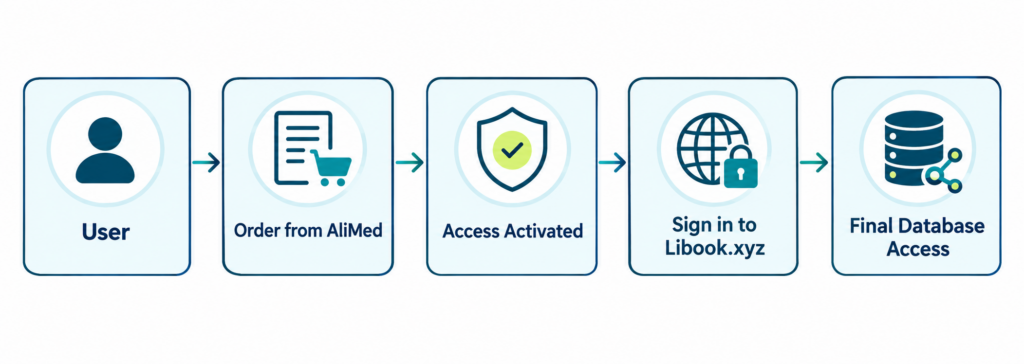
Sign in to Libook
Open Libook.xyz and sign in with the username and password sent to your email after purchase.
02
Open “My Access”
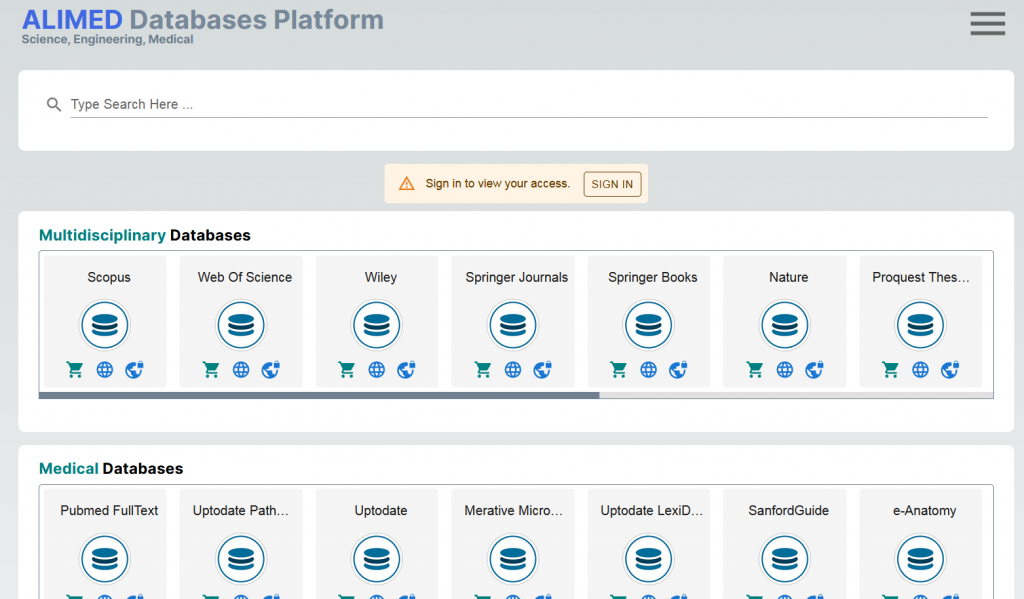
After signing in, go to My Access. You will see only the databases included in your active access.
03
Select a database
Click its logo. You will be taken either directly to the publisher’s website or to its WebProxy address.
Frequently asked questions
My Access displays the databases that have been purchased or activated for your account. If a database is not listed, it is not currently part of your access.
Your login details are available on your profile on alimed.app or sent to the email address used for your request. Please also check your Spam or Promotions folder.
You will be forwarded either to the publisher’s official website or to its proxy address, depending on how access to that database is provided.
Usually not while your session remains active. If you sign out, clear browser cookies, or your session expires, simply log in to Libook again.
Yes. WebProxy is only an access method that routes your connection to the original database through an intermediary system. It does not modify, filter, or alter the content of the target website or database, with the exception of UpToDate.
For faster, more reliable access and to reduce the risk of user accounts being blocked, UpToDate is provided through an intermediary offline database. Therefore, unlike other WebProxy services, users are not connected directly to the official UpToDate website.
This database is usually updated weekly and does not have a meaningful delay compared with the main UpToDate topics.

Examples of available databases
- UpToDate (Direct & Webproxy)
- Lexidrug (Direct Application & Webproxy for website)
- ProQuest Theses & Dissertations Global
- Emerald (Webproxy)
- IGI Global (Webproxy)
- Springer (Direct & Webproxy)
- Merative Micromedex (Webproxy)
- Sanford Guide (Webproxy)
- Oxford Journals (Webproxy)
- BMJ Journals (Webproxy)
- ExpertPath (Direct & Webproxy)
- ETG Complete (Webproxy)
- StatDX (Direct & Webproxy)
- Ovid (Direct & Webproxy)
- IEEE (Webproxy)
- OnePetro (Direct & Webproxy)
- Statista (Webproxy)
- ProQuest Central (Webproxy)
- ClinicalKey (Direct & Webproxy)
- ClinicalKey Nursing (Direct & Webproxy)
- PubMed Fulltext (Webproxy)
- Journal of Neurosurgery (Webproxy)
Explore WebProxy Database Access with AliMed
Access a wide range of subscribed academic and professional databases through AliMed’s WebProxy platform, with convenient access to trusted research resources across multiple disciplines.
Activate your access, sign in to Libook, and connect to the databases available to you—all through one streamlined access process.